


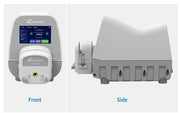
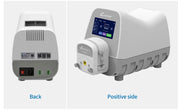
SPECIFICATIONS
Brand Name: kamoer
Certification: CE,RoHS
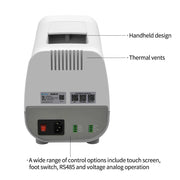
Control mode: Touch screen, foot switch, 0-5/10V analog quantity, RS485 communication
Does it include batteries: Not included
Fuel: Electric
High-concerned chemical: None
Humidity: 0~80℃
Lifetime: More than 6000 H
Model Number: UIP WIFI-E
Number of rotors: 3 rotors
Origin: China Mainland
Overall weight: 3.15KG
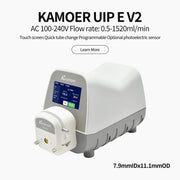
Peristaltic Pump Flow Rate: 0.5~1500ml/min
Peristaltic Pump Motor: Stepper Motor
Peristaltic Pump Voltage: AC 100-240 V
Power (W): Electric
Power Source: Electric
Pump Head: Single Head-KK1800
Size: 324*164*219mm(L*W*H)
Standard or Nonstandard: Standard
Structure: Peristaltic Pump
Temperature: 0~60℃
Theory: Rotary Pump
Use: Peristaltic Pump
Kamoer 0.5-1500ml/min UIP WIFI-E Affordable High Flow Peristaltic Pump AC100-240V Filling Pump for Lab
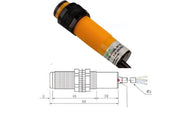
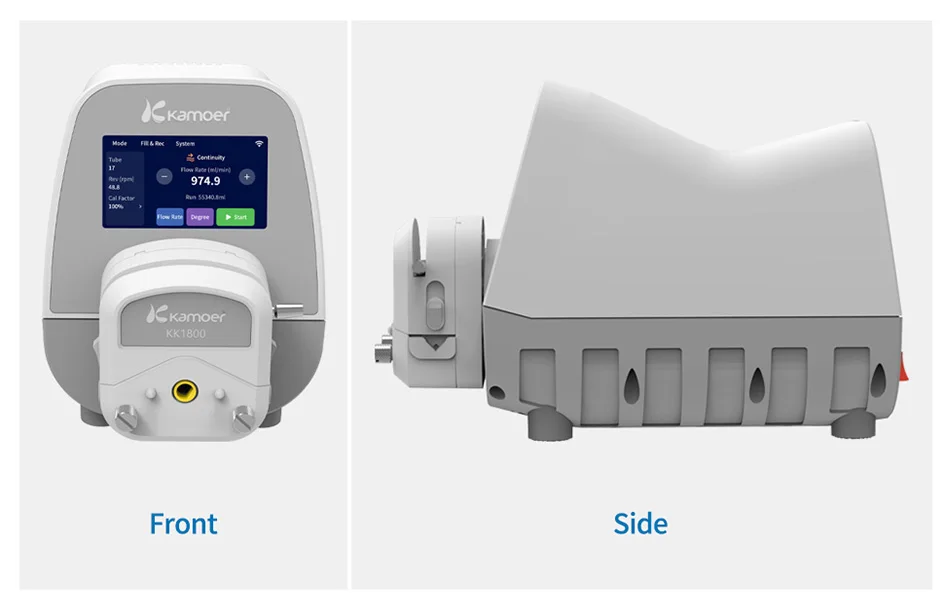
· Added photoelectric sensor
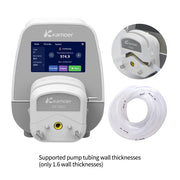
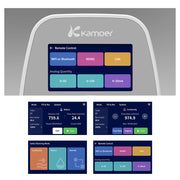
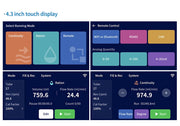
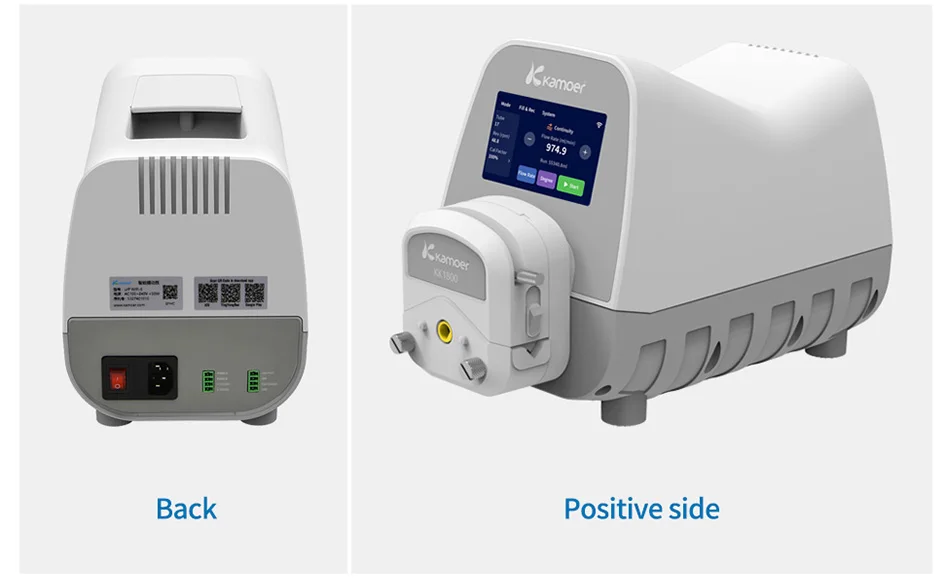
· Includes a 4.3 inch touch screen for easy operation.
· Rich control methods, including touch screen, foot switch, RS485 and voltage analog operation.
· Supports flow rate calibration.
· Supports continuous mode and quantitative mode operation.
· Supports power-down parameter saving.
· Back interface adopts quick-connect terminals, easy to connect.
· Support remote firmware upgrade.
Basic parameters
Basic Parameters |
UIP WIFI E with Stepper motor |
Power supply |
AC100-240V |
Flow ml/min |
0.5-1500ml/min |
Power(Max) |
<50W |
Weight |
About 3.15KG |
Noise |
≤65dB(Less than 60dB measured at a distance of 50cm) |
Speed range |
0.1-350 rpm |
Speed adjustment resolution |
0.1 rpm |
Display mode |
LED 4-digit digital tube |
Control method |
Touch screen, foot switch, external analog (0-5V, 0-10V), 485 communication control |
Working mode |
Continuous Mode, Quantitative Mode and remote Mode |
18# Silicone-200H |
1589ml/min |
18# BPT-1000H |
1428ml/min |
Working mode description
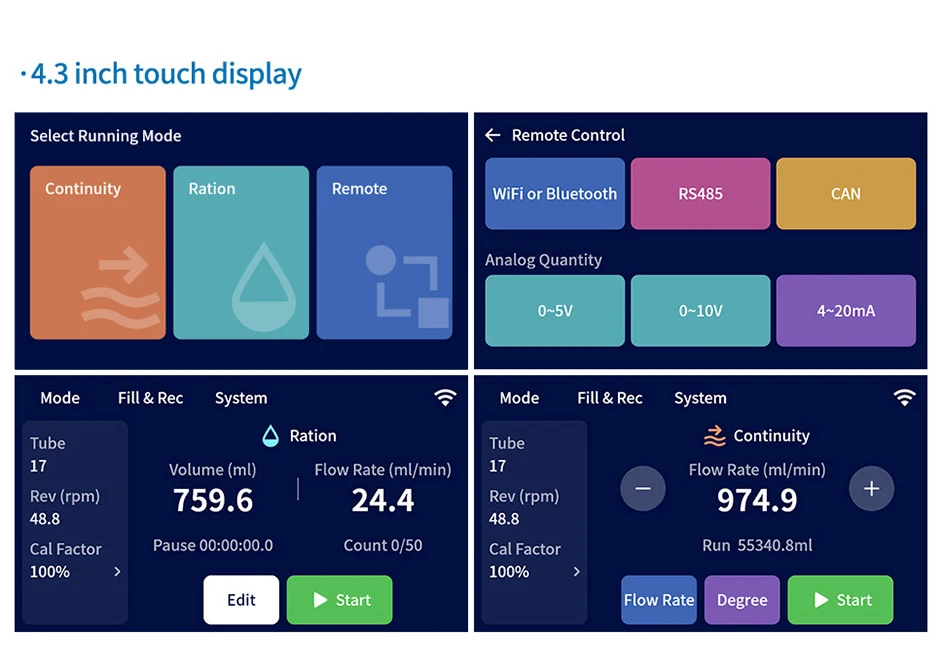
1.Continuous mode:
Applied to non-fixed amount of added occasions, the pump running and stopping the user through the touch screen or foot switch to trigger; in the title bar, select "switch mode" to enter the mode selection interface, click on "continuous" to enter the continuous mode working interface, click on the start, the pump will run continuously until the stop button is clicked. After clicking start, the pump will run continuously until the stop button is clicked;
2. Ration Mode:
Suitable for filling occasions, the pump runs for a dosage, and then stops automatically, the user can manually trigger the start, you can also set the number of cycles, so that the pump runs cyclically; Select "Switch Mode" in the title bar to enter the mode selection interface, click "Ration" to enter the dispensing mode working interface;In the ration mode, there are two working modes, namely, semi-automatic working mode and full-automatic working mode;
Semi-automatic working mode:
after volume setting, click the start button to start running, the volume (flow) displayed on the screen starts counting down, when the count value changes from the set value to 0, the pump stops working, click start again, the pump runs again in the above way;
Full-automatic working mode:
set the number of times of operation, volume, pause time, click to start running, the volume displayed in the screen (flow) began to count down, when the count value from the set value to 0, the pump stops working, at the same time the middle of the screen began to count down the pause time, when counting down to 0, the pump automatically restarted the work of the pump for each run, the number of times h plus 1, when the pump cycle through the set number of times of operation, the pump stops running, waiting for a second time, waiting for a second time, the pump runs again in the above way. When the pump cycles through the set number of times, the pump stops running and waits for clicking start to begin the next cycle;(Note: Before the pump starts to run, the pump tube must first be filled with liquid and drained of air to ensure the accuracy of the pump;)
3.Remote mode:
In remote mode, users can control the operating status of the pump through non-touch screen methods, such as RS485, 0~5V/10V analog, suitable for supporting user systems; select "Switch Mode" in the title bar to enter the mode selection interface, and click "Remote" to enter the remote control interface;
4. Analog control:
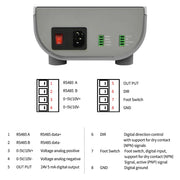
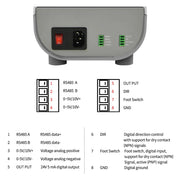
In the application scenario that requires the use of analog control devices, you can choose analog control to achieve motor speed control, the value of the analog determines the running speed of the motor; analog has two ways: current or voltage, of which the current mode can be customized according to the demand; according to the definition of analog interface to connect the analog communication line (the following figure), select the corresponding analog in the remote control interface, click to enter the corresponding analog control interface.
Each interface definition
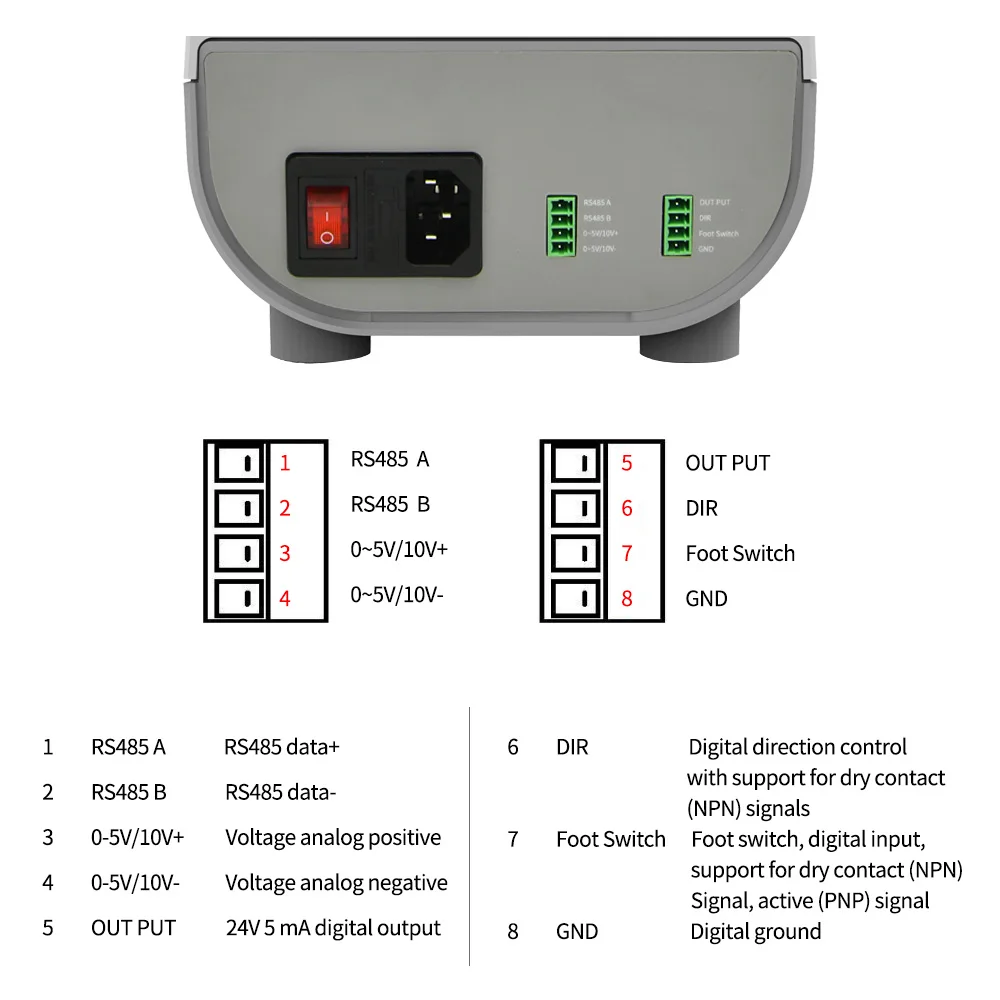
1 RS485 A RS485 data+
2 RS485 B RS485 data-
3 0-5V/10V+ Voltage analog quantity positive
4 0-5V/10V- Voltage analog quantity negative
5 OUT PUT 24V 5 mA digital output
6 DIR: Digital directional control, supporting dry
contact (NPN) signal
7 Foot Switch: Foot switch, digital input, supporting dry
contact (NPN) signal, active (PNP) signal
8 GND Digitally
Multiple Applications
# Food industry
# Factory production
# Laboratory, research institute
# Research institutions
# Filling and dispensing
# Medical equipment
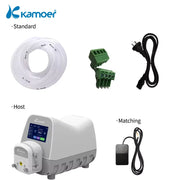
Packing List
1× UIP WIFI E;
1× Power cable;
1× Foot switch;
1× Tube(2m silicone)
Other Accessories
Photoelectric sensor switch: Photoelectric sensor used to identify the presence or absence of solution bottles for automatic filling Sensor recognition distance length 0.5 meters
Contact us if any question.
We are always at your service!
Waiting for your order.
Returns Policy
You may return most new, unopened items within 30 days of delivery for a full refund. We'll also pay the return shipping costs if the return is a result of our error (you received an incorrect or defective item, etc.).
You should expect to receive your refund within four weeks of giving your package to the return shipper, however, in many cases you will receive a refund more quickly. This time period includes the transit time for us to receive your return from the shipper (5 to 10 business days), the time it takes us to process your return once we receive it (3 to 5 business days), and the time it takes your bank to process our refund request (5 to 10 business days).
If you need to return an item, simply login to your account, view the order using the 'Complete Orders' link under the My Account menu and click the Return Item(s) button. We'll notify you via e-mail of your refund once we've received and processed the returned item.
Shipping
We can ship to virtually any address in the world. Note that there are restrictions on some products, and some products cannot be shipped to international destinations.
When you place an order, we will estimate shipping and delivery dates for you based on the availability of your items and the shipping options you choose. Depending on the shipping provider you choose, shipping date estimates may appear on the shipping quotes page.
Please also note that the shipping rates for many items we sell are weight-based. The weight of any such item can be found on its detail page. To reflect the policies of the shipping companies we use, all weights will be rounded up to the next full pound.